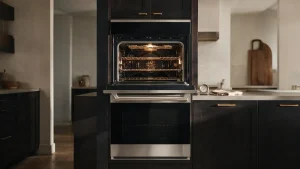
FCE2 on a JennAir range or wall oven shares its Wi-Fi guidance with FCE1 and FCE3.
Model compatibility: JennAir reuses codes across series and model years, so FCE2 may mean something different on another appliance or generation. Confirm this against your model’s documentation and record your full model number before acting.
Plain language
What this code means
Possible Wi-Fi problem from time out, weak signal, a failed router, the appliance's Wi-Fi module, or associated wiring.
Connected-appliance codes are where JennAir files FCE2, and its text equals that of FCE1 and FCE3. The possible reasons are therefore shared: a time out in the connection, a weak signal, a router that has failed, the Wi-Fi module in the appliance, or wiring close to that module.
Checklist in a sensible order
#
Action
Detail from JennAir
1
Check the network
Does another Wi-Fi device work properly?
2
Reset the router
Mentioned twice in the article
3
Test at the appliance
Carry a phone or tablet over to the oven and try it beside the unit
4
Cycle power on both
Should the device work: router unplugged for 2 minutes, then the appliance disconnected for 2 minutes
5
Appliance breaker
Off one minute, on, watch one minute
Weak signal
If the appliance gets fewer than full bars, the signal is probably what needs attention. JennAir proposes relocating the router, installing a compatible signal extender, or getting in touch with your internet provider.
When to call
JennAir lists causes and picks none. A code that stays after the home network is in order is a matter for a technician, because the module and its wiring are on the list and owners are never told to open the appliance. Have the router make, the behavior of your other devices, and the signal level at the oven ready to share.
Important safety warning. Do not attempt repairs involving electrical components, gas, water lines, refrigerant or sealed systems. Unplug the appliance if it is safe to reach the outlet, and leave internal diagnostics to a qualified technician.
Seeing this code on your JennAir appliance?
Book a specialist visit for a clear estimate and approval before any repair.